Table View
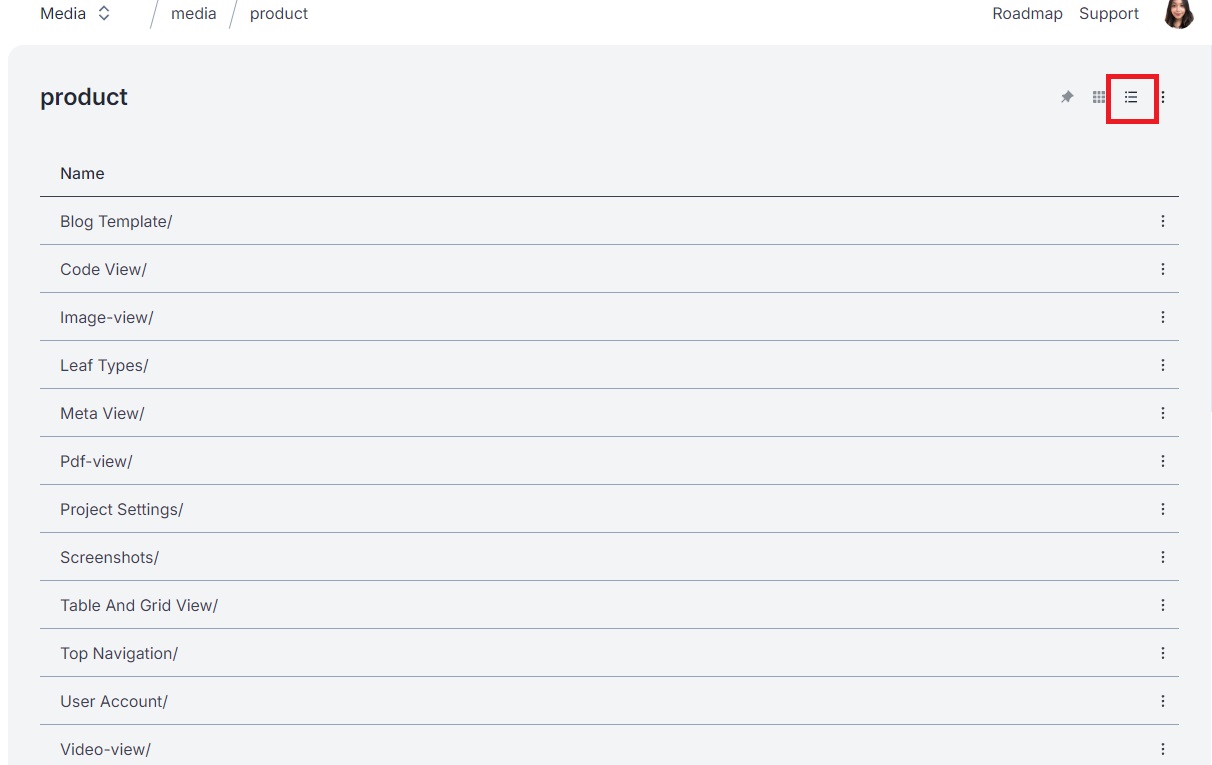
In Table View, Orbitype intelligently scans your entry data for schemas, dynamically organizing and displaying this information in a tabular format that emphasizes detail and structure. This view is particularly advantageous for content types that benefit from a detailed, columnar representation, allowing users to easily compare, sort, and analyze data based on specific attributes.
Key Features of Table View:
Dynamic Schema Detection: Automatically recognizes the schema of your data, ensuring that each piece of information is accurately represented in the table.
Customizable Columns: Users can often customize which columns are displayed, focusing on the data most relevant to their needs.
Sorting and Filtering: Enhances the ability to navigate large datasets by allowing users to sort and filter the data based on various attributes.
Grid View
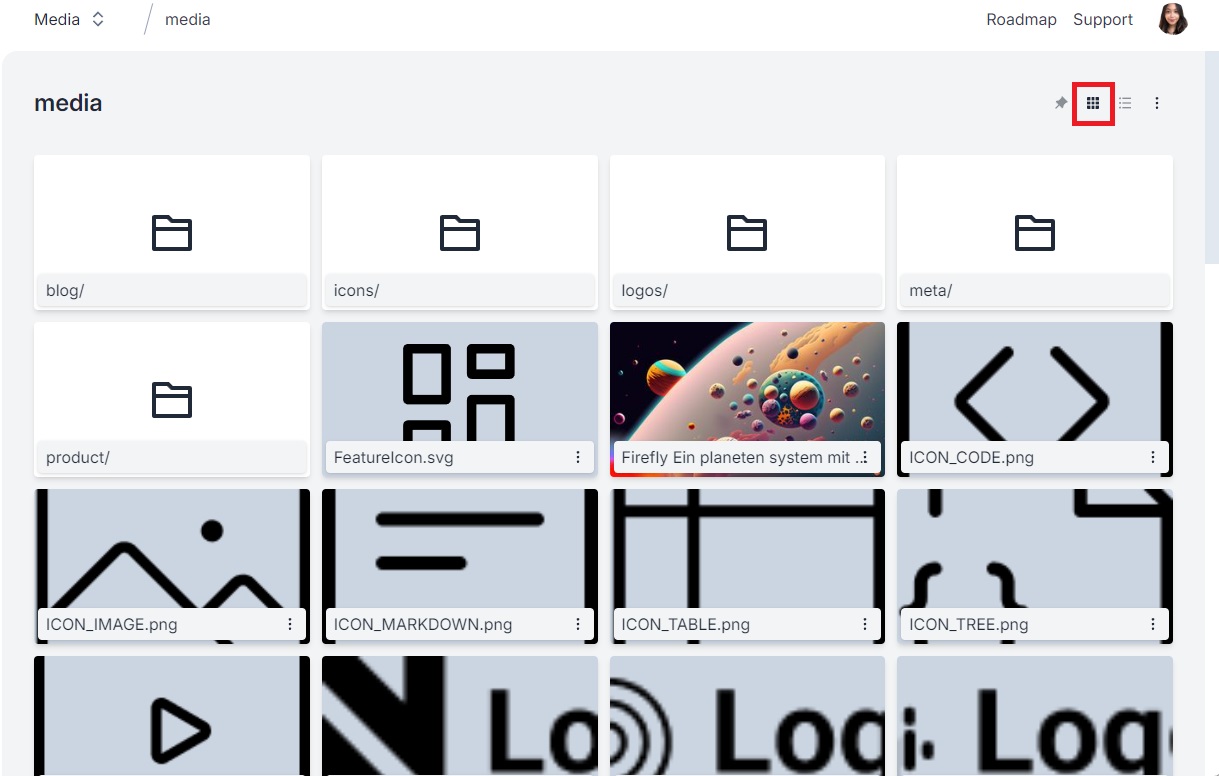
Grid View, on the other hand, is optimized for media content such as images and videos. It displays content as larger thumbnails, offering a visually appealing overview that makes it easier to identify and access files. This view is ideal for scenarios where visual content is predominant, and detailed metadata is less critical.
Key Features of Grid View:
Visual Emphasis: Prioritizes the visual aspect of content, making it easy to browse through media files.
Simplified Information: Displays less information compared to Table View, focusing on thumbnails to provide a cleaner, more accessible interface.
User-Friendly for Media: Perfect for galleries, portfolios, or any content type where visual presentation is key.
Personal Language Settings on Orbitype's Overview Page
When you switch languages while editing in a Single View Page within Orbitype, this language preference is applied only to your session. As a result, when you navigate to the Overview Page, it will also display content fields in the same language, making it easier for you to understand where you are in the project. This customization enhances your workflow by ensuring consistency in the language display across different views, tailored specifically to your editing session.
Customization and Seamless Experience
Orbitype's intelligent background customization enhances your user experience by remembering your preferences:
Automatic View Type Memorization: When you change the Overview type to Grid or Table mode while exploring a folder or dataset, Orbitype remembers this choice. The next time you access the platform, it automatically presents your content in the preferred view mode, tailored specifically to you.
Personalized Settings: This customization is user-specific, meaning your view settings won't affect how other users see their content. Each user enjoys a tailored browsing experience that suits their workflow and content interaction habits.